What players say
Swarm Defense Strategy offers a satisfying tower defense experience with a variety of turrets and upgrades. The game is easy to pick up but provides enough strategic depth to keep players engaged. The ability to play on both mobile and desktop without downloads is a major plus. The increasing wave difficulty ensures a steady challenge.
About this game
Game Introduction
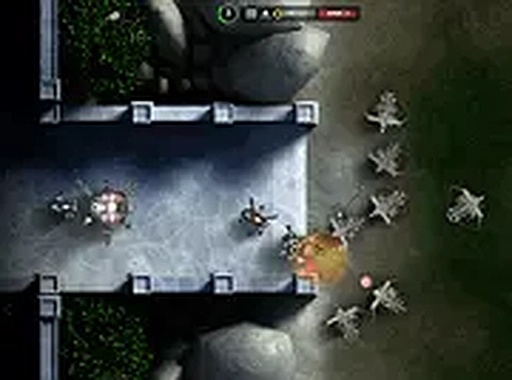
Swarm Defense Strategy is a tower defense game that places you in a neutral zone between human settlements and an advancing swarm. Your objective is to build and upgrade defensive turrets to stop each wave of incoming enemies. The game offers a variety of defensive tools including freezing turrets, flaming turrets, and explosive launchers. By defeating enemies, you earn credits that can be invested in stronger defenses. The game is free to play, runs directly in your browser, and supports both mobile and desktop devices for a seamless experience. This strategic challenge encourages careful planning and resource management as each wave increases in difficulty. The core appeal lies in finding the right combination of turrets to counter different enemy types.
How to Play
To play Swarm Defense Strategy, start by selecting a turret or construction from the menu. Use your mouse or touch input to place it in the neutral zone along the enemy path. As you defeat enemies, you earn credits that can be used to upgrade existing turrets or purchase new ones. Each turret type has unique strengths, so experiment to find the best combination. The goal is to survive each wave by stopping all incoming units. You can also enable full screen mode for a more immersive view. The controls are simple and intuitive, making it easy for new players to jump in.
Game Features
Game features include: Free to play with no downloads required. Supports both mobile and desktop devices. Full screen mode for an immersive experience. Multiple turret upgrades including freezing, flaming, and explosive tools. Simple controls that are easy to learn but offer strategic depth. The game provides a satisfying balance of planning and action, with each new wave presenting a fresh challenge. It is a good choice for players who enjoy strategy games without complex mechanics.
Tips for Success
Focus on building a balanced set of turrets to handle different enemy types. Upgrade your defenses regularly to keep up with increasing wave difficulty. Pay attention to enemy paths and place turrets where they can cover the most ground. Experiment with different turret combinations to find what works best for your play style. Practice helps you anticipate wave patterns and optimize your resource spending.