What players say
Shape Deflector 3: Endless Challenge delivers addictive gameplay with simple mouse controls and automatic firing. The upgrade system adds meaningful depth, and unlocking new ships keeps each run fresh. The endless wave format is perfect for short play sessions, and the shield mechanic provides a fair challenge. A solid choice for fans of action survival games.
About this game
Game Introduction
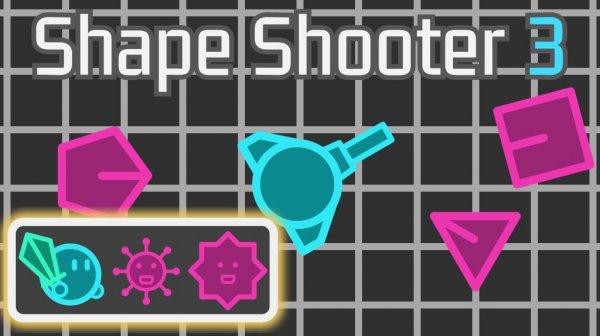
Shape Deflector 3: Endless Challenge is an action game where players take command of a ship and face waves of geometric shape enemies. The core objective is to survive as long as possible while overcoming enemies and upgrading abilities. Inspired by the popular Vampire Survivors style, this game offers fast-paced, addictive gameplay that challenges reflexes and strategic thinking. As players progress, they can unlock new ships and enhance firepower to take on tougher foes. The game is designed to be easy to pick up but offers depth for repeated play, making each session a new opportunity to refine strategy and improve performance.
How to Play
Players control their ship by moving the mouse, which also directs the ship's automatic firing. Use left-click to activate a special item that clears nearby enemies in a pinch, and right-click to pause the game. Collect blue bits dropped by enemies to build a shield that protects from instant defeat. The key is to keep moving, gather resources, and continuously upgrade tools and abilities to survive longer against increasingly difficult waves of enemies. The simple controls make it accessible for players of all skill levels.
Game Features
Shape Deflector 3 includes a survival mode where players face endless enemy waves. Features include ship upgrades, unlockable new ships, and special items that provide temporary advantages. The game offers a progression system where score unlocks new characters, and each session provides opportunities to refine strategy. The simple mouse-controlled movement and auto-firing make it easy to pick up, while the upgrade system adds depth for repeated play. The game may also include various power-ups to aid in survival.
Tips for Success
Focus on collecting blue bits to maintain your shield, as it provides a critical safety net. Prioritize upgrades that enhance firepower and survivability early on. Keep moving to avoid being surrounded by enemies, and use your special item wisely when overwhelmed. Experiment with different ship unlocks to find a build that suits your playstyle. Practice regularly to improve reflexes and learn enemy patterns.