What players say
Ferrous Stand Tower Defense offers a fresh take on the genre by letting you directly control each tower. The combination of strategic placement and manual aiming keeps each wave engaging. The game runs smoothly in a browser, works on mobile, and is free. A solid choice for strategy fans.
About this game
Game Introduction
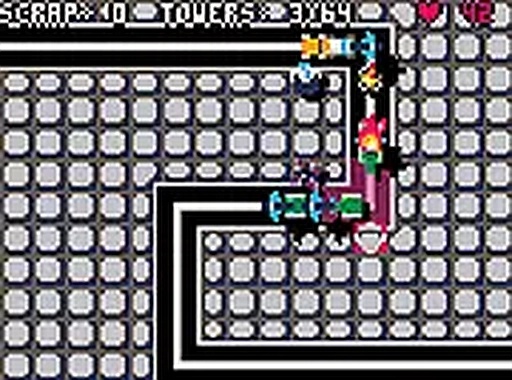
Ferrous Stand Tower Defense is a strategy game that combines careful placement of defensive structures with the ability to control each tower directly. You assume the role of Blitz, an artificial intelligence that becomes active in a facility and travels across different areas to challenge the forces of the Milit Empire. Unlike many tower defense games where towers operate on their own, this game lets you take an active role in aiming and firing each tower. This adds a layer of precision and timing to the usual strategic planning. The game runs entirely in your browser without any downloads, and it works on both desktop computers and mobile devices. This makes it easy to play whether you are at home or away from your main setup.
How to Play
Players begin by placing towers on the map to create a defensive line against incoming enemy waves. What sets this game apart is the option to take direct control of each tower. By clicking or tapping on a tower, you can manually aim at enemies and fire. This requires quick thinking and accurate targeting. On a desktop computer, you use a mouse to aim and click to fire. On a mobile device, touch controls allow you to tap and drag to guide your towers. As you advance, the enemy forces become more challenging, so upgrading your towers and adjusting your defensive layout becomes important. The game is easy to learn but offers depth for those who want to improve their skills.
Game Features
Direct control of multiple towers, each with its own behavior, allows for hands-on gameplay. A story line involving a rogue AI adds context to the missions. Full screen mode provides an immersive view of the battlefield. Support for both desktop and mobile devices ensures accessibility. The game is free to play with no downloads required. This combination of strategic placement and real-time tower control offers a fresh experience within the tower defense genre.
Tips for Success
Practice using direct control of your towers to improve your aim and timing. Learn the strengths of each tower type and place them where they can be most effective. Upgrade your towers regularly to keep pace with stronger enemies. Plan your defense to cover all approach paths. Stay alert and adjust your strategy as new enemy types appear. Using full screen mode can help you see the entire battlefield clearly.