What players say
Grimace Defender delivers a polished arcade experience with bright visuals and responsive controls. The gradual difficulty increase keeps players engaged without frustration. It runs smoothly on both mobile and desktop browsers with no downloads required. Perfect for quick sessions or longer play, this game is a great choice for casual gamers seeking accessible entertainment.
About this game
Game Introduction
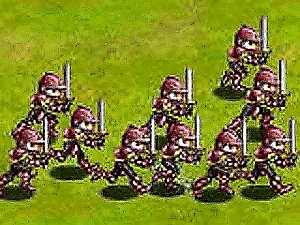
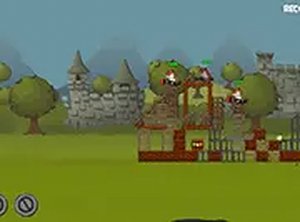
Grimace Defender is an arcade action game where players take on the role of a protector facing waves of colorful invaders. The core objective is to defend a position by using quick reflexes and precise timing. This game is designed for players of all ages, offering a family-friendly experience that emphasizes coordination and focus. The bright, lively graphics and cheerful sound effects create an engaging atmosphere that makes each session enjoyable. Whether you have a few minutes or want to play longer, Grimace Defender adapts to your schedule. It runs directly in your browser on both phones and computers, so there is no need to install anything. The game stands out for its simplicity and accessibility, making it a great choice for casual gamers or anyone looking for a quick, entertaining challenge. The action gradually intensifies as more invaders appear, keeping players alert without becoming overwhelming. With its charming theme and straightforward mechanics, Grimace Defender provides a satisfying experience that encourages repeat play.
How to Play
Playing Grimace Defender is easy to learn. Players use their mouse on a computer or tap on a touch screen to aim and interact with the invaders as they approach. The goal is to clear each wave by targeting the invaders before they reach your position. On desktop, clicking the mouse button performs the action. On mobile devices, tapping the screen does the same. The game becomes more challenging as waves progress, with invaders moving faster and appearing in greater numbers. Staying focused and reacting quickly is key. A full screen mode is available for a more immersive view. No complicated instructions are needed—just point, interact, and keep going.
Game Features
Grimace Defender includes several features that enhance the experience. It offers fast-paced arcade action that is simple to pick up. Controls are intuitive, working with mouse clicks or screen taps. The game is free to play and requires no downloads or installations. It runs smoothly on both mobile devices and personal computers. A full screen mode is available for players who want a larger view. The colorful visuals and lively audio create an inviting atmosphere suitable for all ages. The game is designed for quick sessions but also supports longer playtimes for those who want to keep going.
Tips for Success
To do well in Grimace Defender, practice your timing and aim. Focus on the invaders that are closest to your position first. Stay calm as the pace increases, and try to maintain a steady rhythm. Taking short breaks between sessions can help keep your reflexes sharp. Learning the movement patterns of different invader types will make it easier to predict their paths. Most importantly, have fun and enjoy the challenge.