What players say
Chill Out Puzzle: Weather Helper offers a unique twist on puzzle games by letting players control rain and ice. The pixel art is charming, and the pace is relaxing. Each level requires thoughtful planning, making it rewarding for creative thinkers. It is family-friendly and suitable for all ages. A great choice for casual gamers.
About this game
Game Introduction
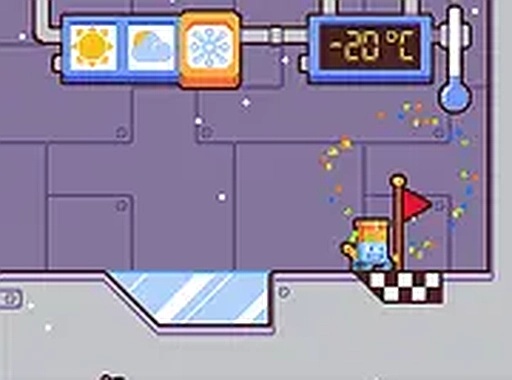
Chill Out Puzzle: Weather Helper is a creative puzzle game where players control the weather to assist a friendly robot. The robot must reach a flag at the end of each level. Players can make it rain to create water, then freeze the water into solid ice platforms. These platforms help build paths, block hazards, and solve clever puzzles. The game has a relaxing pace and charming pixel art style. It is designed for players who enjoy thinking creatively. Each level presents new challenges that require careful planning. The weather is the main tool, and players decide how to use it. This game is suitable for all ages and offers engaging fun.
How to Play
Players use a mouse or keyboard to interact with the game environment. The main task is to guide the robot to the flag by altering the climate. Click or press keys to change weather conditions. For example, make it rain to create water, then freeze the water to form solid platforms. Plan moves carefully to avoid obstacles. Each level introduces new puzzles that require creative solutions. The game is best played on a desktop with a keyboard or mouse. Players can enjoy full-screen mode for a more immersive experience. Take time and experiment with different weather combinations to succeed.
Game Features
Climate control puzzles that challenge creativity. Charming pixel graphics create a relaxing atmosphere. Family-friendly gameplay suitable for all ages. Each level offers unique obstacles and solutions. The game rewards careful planning and experimentation.
Tips for Success
Practice regularly to understand how different weather effects interact. Experiment with various combinations of rain and freezing to discover new solutions. Take time on each level, as rushing may lead to mistakes. Observe the layout carefully before acting, and think ahead about how changes will affect the robot's path. Replay levels to find more efficient strategies. Stay patient and enjoy the creative process.