What players say
Navader successfully reinvents a classic formula with its two gameplay modes. Game A offers a patient, precise challenge while Game B introduces chaotic fun with a laser-wielding enemy that can accidentally help you. The pixel art is charming and the controls are responsive on both desktop and mobile. The friendly fire mechanic adds replay value as each round feels different. It is a great choice for quick gaming sessions or longer play.
About this game
Game Introduction
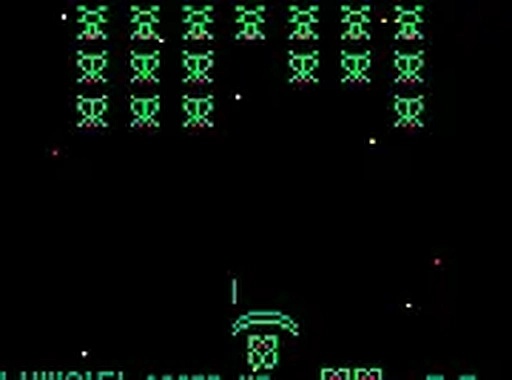
Navader is a creative homage to the classic space invaders genre, reimagined with a playful twist. In this retro shooting game, you control a green butterfly and must defend against formations of other green insects. The game offers two distinct modes: Game A follows the traditional formula with careful, single-shot gameplay, while Game B introduces rapid fire and a random enemy that fires a laser, adding unpredictability and friendly fire mechanics. This fresh take on a beloved classic is available to play directly in your browser for free, with no downloads required.
How to Play
Players control their butterfly using the arrow keys or mouse on desktop, and can shoot by pressing the spacebar or clicking. In Game A, you can only fire one bullet at a time, so precise aim is essential. The enemies move in formation, and your goal is to eliminate them all before they reach your position. In Game B, rapid fire allows continuous shooting, but watch for the red-flashing enemy that fires a laser—it can clear a path but also destroy you if you are in the way. On mobile, simply tap the screen to move and shoot. The game runs smoothly on any device.
Game Features
Navader includes two gameplay modes offering variety and replayability. Retro pixel art creates a nostalgic feel that pays tribute to classic arcade shooters. The friendly fire mechanic in Game B adds strategic depth and unpredictability. The game is mobile-friendly and completely free to play, with no downloads or installations needed. It is designed to be accessible on any device with a web browser, providing a charming arcade experience that respects its roots while adding fresh elements.
Tips for Success
To succeed in Navader, practice precise aiming in Game A, as you can only fire one bullet at a time. In Game B, use rapid fire to your advantage but stay alert for the red-flashing enemy’s laser, which can clear a path or catch you off guard. Learn enemy movement patterns to anticipate their formation shifts. On mobile, tapping accurately is key. Experiment with both modes to find your preferred style, and remember that patience and quick reflexes are your best tools for high scores.