What players say
Sliding Puzzle Challenge provides a calm yet engaging experience for puzzle lovers. The cheerful visuals and simple mechanics make it accessible for all ages. The increasing difficulty keeps the gameplay interesting without becoming frustrating. It is an ideal choice for a quick mental workout during short breaks or longer sessions.
About this game
Game Introduction
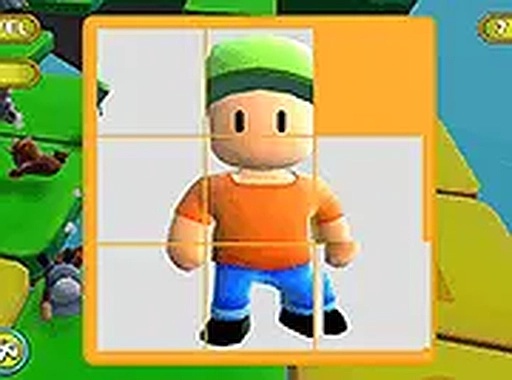
Sliding Puzzle Challenge is a tile-based puzzle game that brings the fun of rearranging scrambled images to your browser. The game presents you with a series of pictures that have been broken into movable tiles. Your objective is to slide these tiles into the correct order to reveal the full image. Each puzzle features colorful and cheerful visuals, creating a relaxing and enjoyable atmosphere. The game is designed for players of all ages, with no inappropriate content. It offers a simple yet engaging way to pass the time, whether you have a few minutes or a longer break. The puzzles increase in difficulty as you progress, keeping the experience fresh and rewarding. You can play instantly without any downloads, making it easy to start a quick puzzle session anytime on your desktop or mobile device.
How to Play
To play Sliding Puzzle Challenge, you click or tap on a tile that is next to an empty space. This action slides the tile into the empty spot, gradually rearranging the pieces. Your goal is to move all tiles until the complete picture appears. Each puzzle includes a timer, which adds a gentle challenge to think ahead and plan your moves efficiently. The game works on both desktop computers and mobile devices, and you can switch to full screen for a more focused view. No downloads or installations are needed—just open your browser and start sliding.
Game Features
Sliding Puzzle Challenge offers family-friendly content suitable for all ages. It includes multiple levels with increasing difficulty to keep the gameplay interesting. The timer feature adds a fun element of pressure without being stressful. The simple sliding puzzle mechanics are easy to learn, making the game accessible to new players. It requires no downloads, so you can play instantly in your browser. The game works on desktop and mobile devices, and a full screen mode is available for better focus.
Tips for Success
To improve your performance in Sliding Puzzle Challenge, practice regularly to become faster at recognizing patterns. Focus on moving tiles in a logical order, such as completing one row or section at a time. Use the timer as a friendly motivator to think ahead, but do not rush too much. Taking short breaks between puzzles can help keep your mind fresh and ready for the next challenge.